 CardScanner
Free Business Card Scanner
Export to CSV, API and CRM
Capture every contact from events, meetings and field visits. Review each card once, then send clean records to your CRM. Roles, an audit trail and API access keep your team in control.
The Free plan includes 100 scans each month. No credit card needed to start.
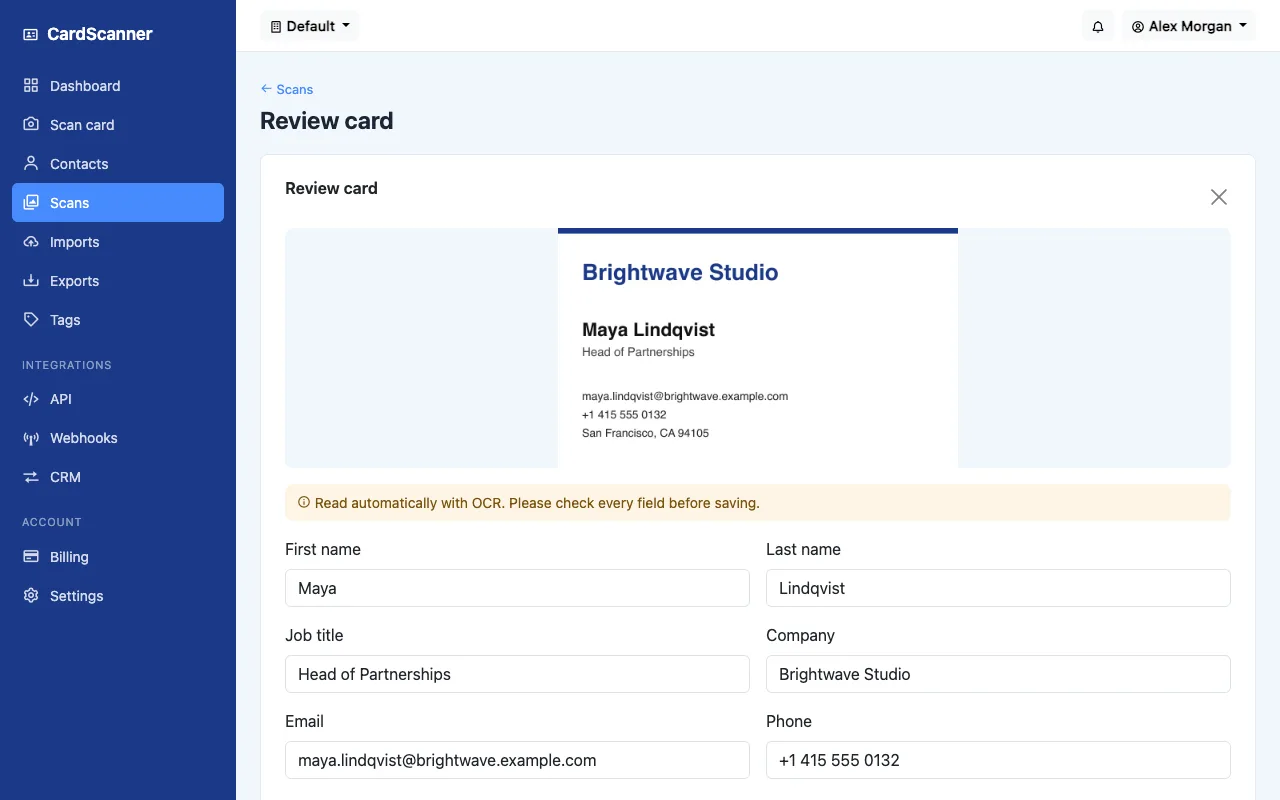
Real screen from CardScanner. The person and company are made up sample data.
Built for teams that need control
- Review before save
- Role based access
- Audit trail
- API and signed webhooks
- Google and Microsoft sign in
- 100card photos in a single bulk upload
- 5team roles, from owner to viewer
- 3CRM export formats, Salesforce, HubSpot and Zoho
- APIand webhooks to feed your own systems
Stop losing leads to a bag of business cards
After every event, someone has to type each name, email and phone number into a spreadsheet. It is slow, it is easy to get wrong, and follow-ups wait for it. CardScanner turns that backlog into a review queue.
Follow up while it is fresh
Cards are read in the background as they are added. Your team works through a list instead of a typing job.
Clean data, not guesses
Every card goes to a review screen first. Duplicates are flagged against contacts you already have before anything is saved.
One shared system, not many spreadsheets
Contacts live in one place with roles, tags and notes, so people leave with the right access and nothing lives on a personal laptop.
From card to CRM in three steps
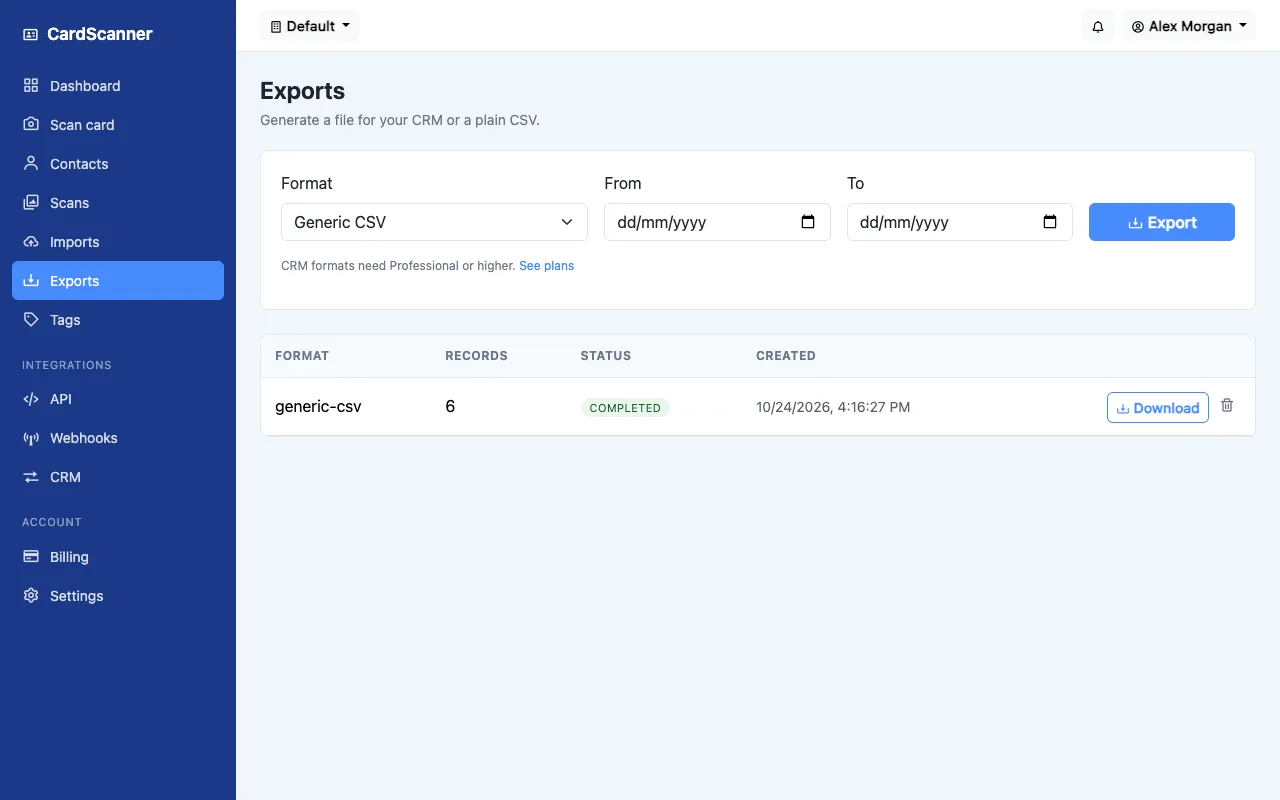
- CaptureUpload up to 100 photos at once, use the camera, or scan with a phone. JPG, PNG, WEBP and HEIC are supported.
- ReviewSee the card next to the name, company, email and phone. Fix anything that looks wrong, then approve one card or many.
- SendExport to CSV, vCard or CRM formats, or push contacts to your own systems with the API and webhooks.
Everything a team needs to run card capture at scale
Start with a few people on a paid plan. Add teammates, workspaces and volume as the program grows.
Bulk capture
Work through a whole event in one sitting.
- Up to 100 photos per upload
- Background processing queue
- Approve many cards together
Team control
Give each person the access their job needs.
- Owner, admin, manager, member and viewer roles
- Separate workspaces for teams or events
- Invite and remove people any time
Integrations
Fit into the tools your team already uses.
- Salesforce, HubSpot and Zoho exports
- REST API with managed keys
- Webhooks signed so you can verify them
Data quality
Keep the CRM free of duplicates and typos.
- Duplicate checks on email, phone and name
- Merge or keep separate, your call
- Tags and notes travel with the export
Accountability
Know who did what, and when.
- Audit trail for contacts, scans and exports
- Team changes are recorded too
- Usage analytics on Professional and above
Scale and priority
Higher volume without a slower queue.
- Priority processing on Business
- Custom scan and storage volume
- Dedicated onboarding for Enterprise
Clear a post-event backlog in one sitting
Add a whole stack of card photos, let them process in the background, and move through the list. Approve the cards that look right and fix the few that do not.
- Every card shows its status, so nothing is missed
- New cards are checked against existing contacts
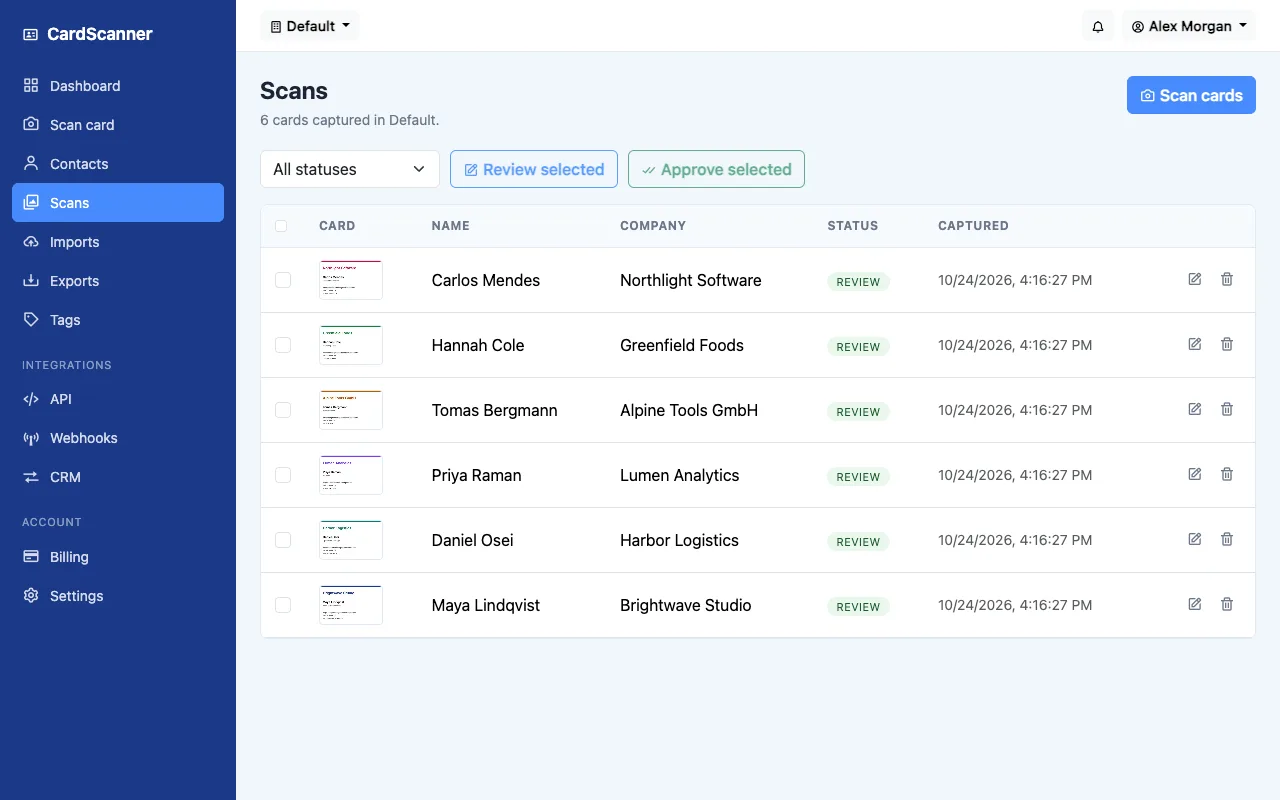
Hand clean contacts to the systems that need them
Choose a format on the Exports page and download your contacts, or connect your own tools with the API and webhooks. Columns cover name, job title, company, email, phone, website, address, tags and notes.
- CSV that opens in Excel, plus vCard
- Salesforce, HubSpot and Zoho formats on every plan
Built so IT and Sales can both say yes
Business cards hold personal contact details. CardScanner keeps access limited and activity visible, and it never saves a contact without a person approving it.
- Each company has its own account and workspaces
- Roles decide who can scan, edit, export and manage the team
- AI reading is off by default and only on paid plans
Protected sign in
Passwords are hashed. People can also sign in with Google or Microsoft.
Audit trail
Contact changes, scans, exports and team changes are recorded with who did them.
Managed API keys
Admins create and revoke keys, and webhook calls are signed so you can verify them.
You own the exit
Export your contacts at any time, and owners can delete the account.
Need single sign on, a security questionnaire or custom data retention? Talk to our team and we will tell you plainly what is available today.
One tool for every team that collects cards
- Events
Trade shows and conferences
Everyone on the booth scans cards, one team reviews them, and approved leads are ready to export to the CRM.
- Sales
Field and account teams
Reps capture contacts after meetings with a phone, add a tag and a note, and keep the list shared.
- Operations
Partners and procurement
Build a clean supplier and partner directory from the cards your team already collects.
Simple enough that people actually use it
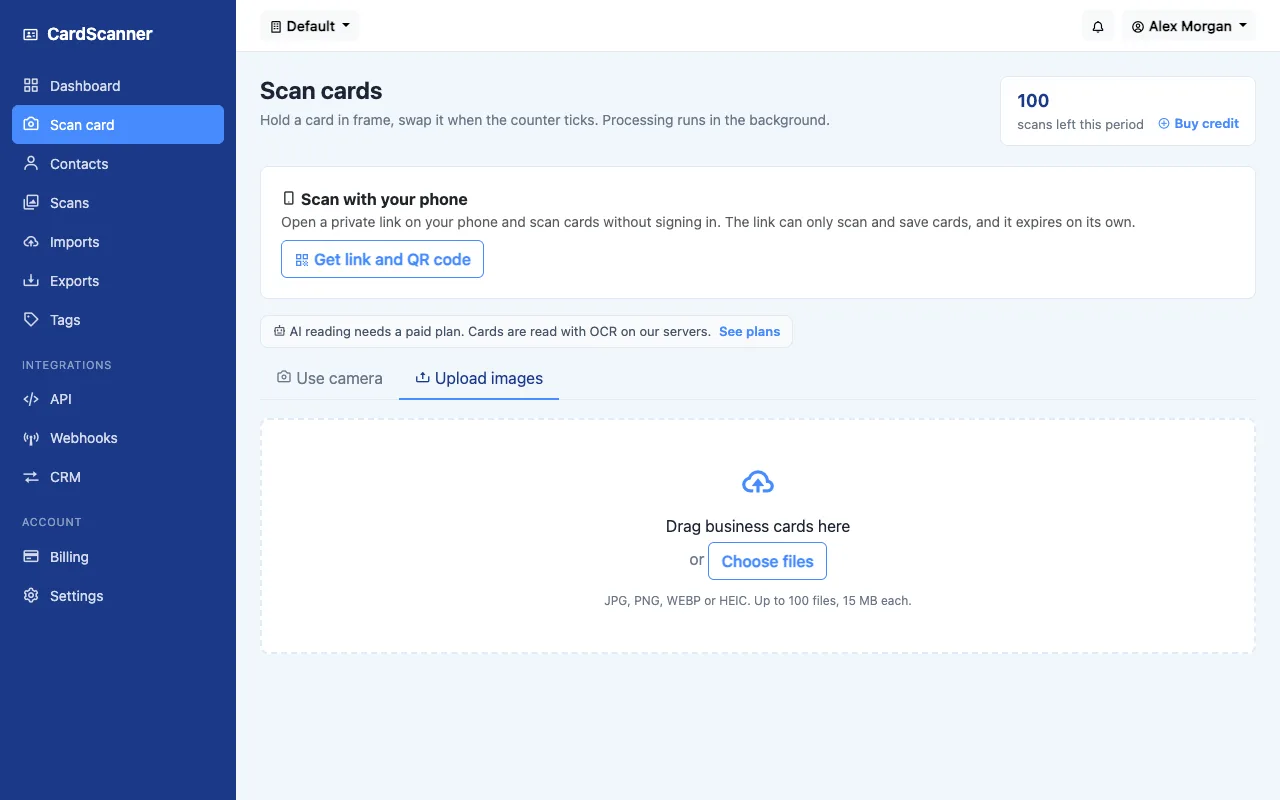
Add card photos 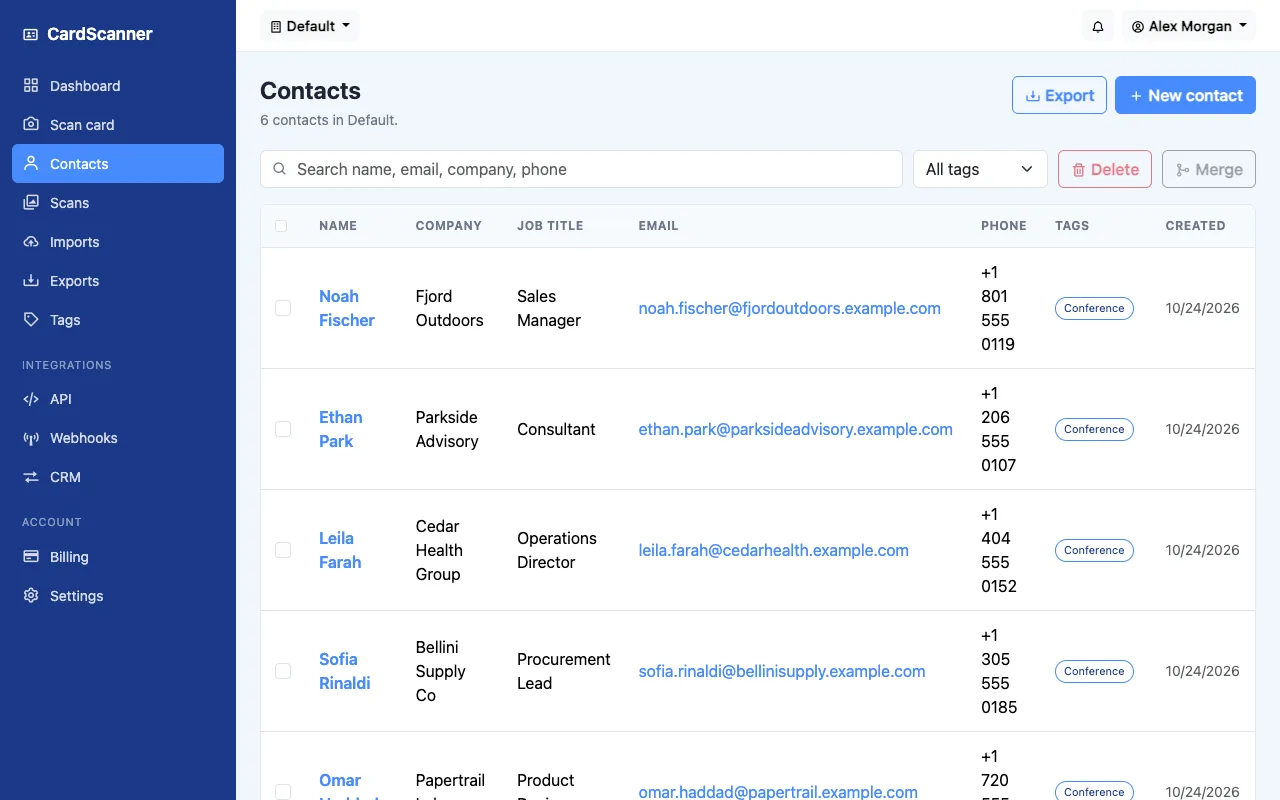
Your shared contact list
Real screens from CardScanner. The people and companies are made up sample data.
Business card OCR with a human in the loop
OCR is technology that reads text from an image. CardScanner uses it to find the printed name, job title, company, email and phone, then puts each one in the right field. Photo quality matters, and no tool reads every card perfectly, so people confirm each record.
Learn about business card OCRContacts ready for your own email tools
Add a tag and a note while the conversation is fresh, then use the email addresses in the tools your team already trusts. CardScanner does not send emails for you.
See the business card to quick mail workflowAnswers for buyers and security reviewers
Who can see our contacts?
Each company has its own account, and contacts belong to a workspace inside it. Team members have a role, from owner to viewer, and the role decides what they can see and do.
Can we use single sign on?
People can sign in with Google or Microsoft today. If your company needs a different single sign on setup, tell us what you need and we will say what is possible.
Is a card sent to an AI provider?
Only if AI reading is switched on. It is off by default, it is only available on paid plans, and the pricing page explains the trade off. Standard reading works without it.
Can we connect our CRM?
Every plan, including Free, exports Salesforce, HubSpot and Zoho formats and includes an API and webhooks. Enterprise customers can ask about custom CRM integrations.
What if we scan thousands of cards a month?
Plans have monthly scan limits, and the Enterprise plan has custom volume, storage and API limits. Contact sales with your numbers.
Which image formats can we use?
JPG, PNG, WEBP and HEIC images, up to 15 MB each. You can also use your camera or scan with your phone.
How accurate is it?
It depends on the card and the photo. No tool reads every card perfectly, so every card goes to a review screen before it is saved.
Can we try it before we buy?
Yes. The Free plan includes 100 scans each month, and you can create an account with an email address. No credit card is needed. See the pricing page for paid plans.
Give your team a better way to handle business cards
Talk to us about volume, integrations and onboarding, or create a free account and scan your first card in a few minutes.
Read our guides on scanning business cards and following up.