 CardScanner
Turn Business Cards Into Faster Email Follow-Ups
Capture the contact while the conversation is fresh, so your follow-up email is ready to write when you are.
The Free plan includes 100 scans each month. No credit card needed to start.
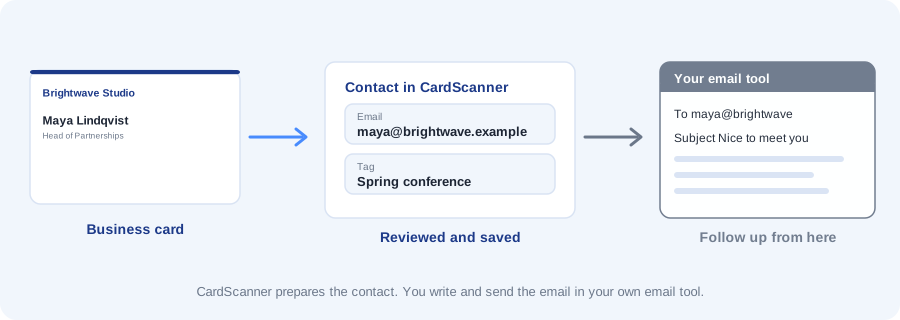
The best time to follow up is soon after you meet someone. But the details are on a card in your bag, and typing them takes time you do not have.
CardScanner turns the card into a saved contact with a checked email address. You then write and send the email in your own email tool.
What CardScanner does and does not do
CardScanner captures and organizes contacts. It does not send emails, write emails or connect to Gmail or Outlook today.
What it does is get the contact details into a clean list quickly, so you can use them in the tool you already use for email.
The gap between meeting and following up
After a busy event the cards pile up. A few days later you cannot remember who was who, and the moment has passed.
Capturing contacts the same day closes that gap. Add a tag and a short note about what you talked about, and you have what you need for a useful message.
A simple follow-up routine
- Scan each card with your camera, an upload, or your phone using a private scan link.
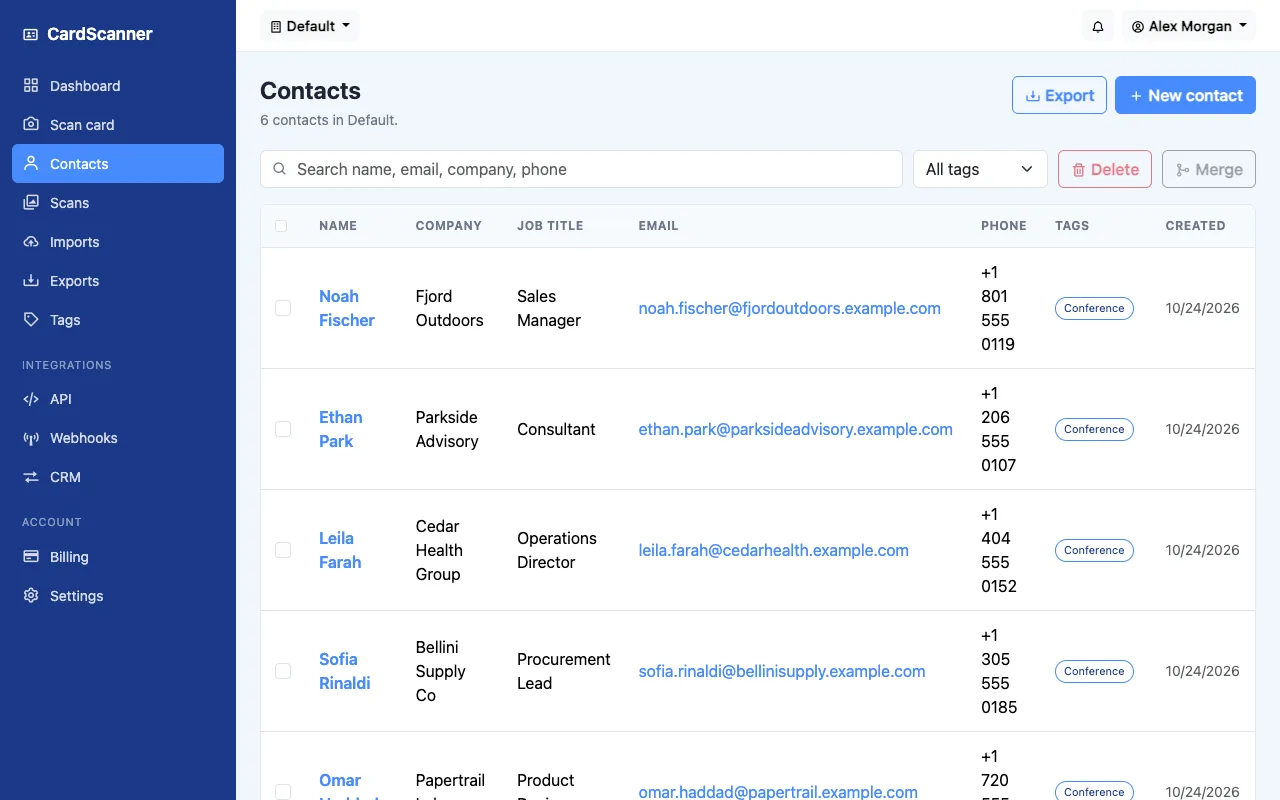
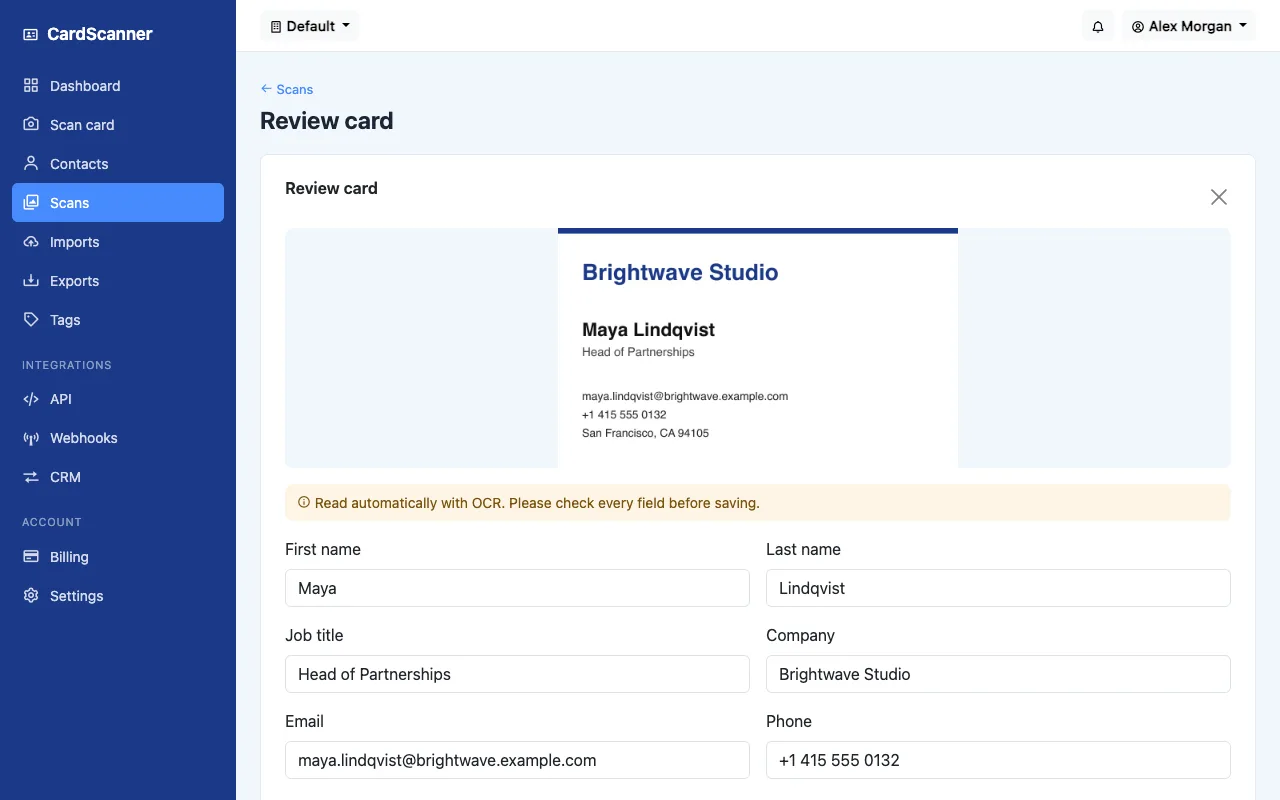
- Check the name and the email address on the review screen. A wrong letter in an email address means a message that never arrives.
- Save the contact and add a tag, such as Conference, and a note about the conversation.
- Export your list as a CSV file, or open the contact list in CardScanner.
- Write your emails in your own email tool, using the email addresses and notes.
Review the details before you write
Every card is shown next to the details that were read from it. You can fix a name, an email address or a job title before the contact is saved. That keeps your follow-ups addressed to the right person.
Where the contacts can go
You can export contacts as CSV or vCard, or in CRM formats such as Salesforce, HubSpot and Zoho. The API and webhooks are included on every plan, including Free.
Frequently asked questions
Does CardScanner send emails for me?
No. CardScanner does not send or write emails. It captures and organizes contacts so you can follow up in your own email tool.
Can I trust the email addresses it reads?
Check them on the review screen. Photo quality affects the result, and you can correct any address before saving.
Which integrations are supported?
You can export CSV and vCard files and CRM export formats, and use an API and webhooks. All of these are included on every plan, including Free. There is no direct Gmail or Outlook integration.
Can I add notes about the conversation?
Yes. You can add tags and notes to any contact, and they are included in the CSV export.
Related pages and guides
Ready to stop typing business cards
Create a free account and scan your first card.
Start Scanning for Free