 CardScanner
Extract Contact Details From Business Cards
CardScanner reads the printed text on a card photo and turns it into contact fields you can check and save.
The Free plan includes 100 scans each month. No credit card needed to start.
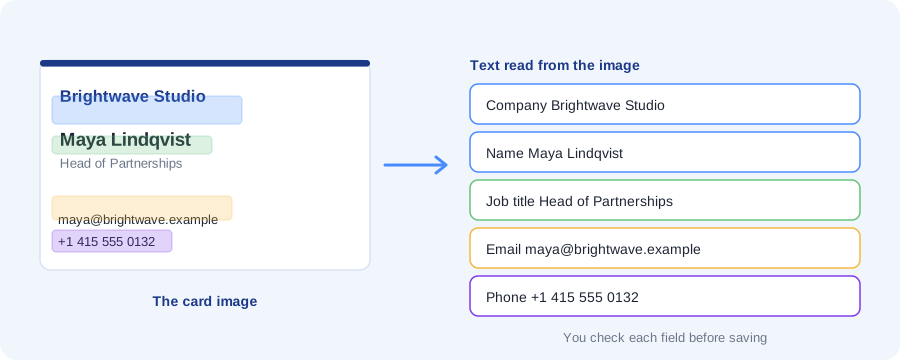
OCR stands for optical character recognition. In plain English, it is technology that reads text from an image.
A business card photo is just a picture to a computer. OCR finds the words in that picture. CardScanner then sorts the words into fields such as name, company, email and phone.
What CardScanner reads from a card
Anything that could not be placed in a field is kept in the notes, so nothing is thrown away.
- Name
- Job title
- Company
- Email addresses
- Phone numbers, including mobile and fax when they are labelled
- Website
- Address
- LinkedIn and other social links when they are printed on the card
How it works
- You add a photo of a card by upload, camera or phone link.
- The image is cleaned up so the text is easier to read.
- The text is read from the image.
- The words are sorted into fields. Emails and phone numbers are recognised by their shape, and names, titles and companies by where they sit on the card.
- You check the result and save the contact.
Image formats
You can upload JPG, PNG, WEBP and HEIC images, up to 15 MB each.
Image quality matters
A sharp, well lit photo gives the best result. A blurry or dark photo gives the reader less to work with, so more fields need fixing.
- Put the card on a plain, flat surface.
- Use good light and avoid glare.
- Fill the frame with the card and keep the phone steady.
- Take one card per photo.
You can correct mistakes
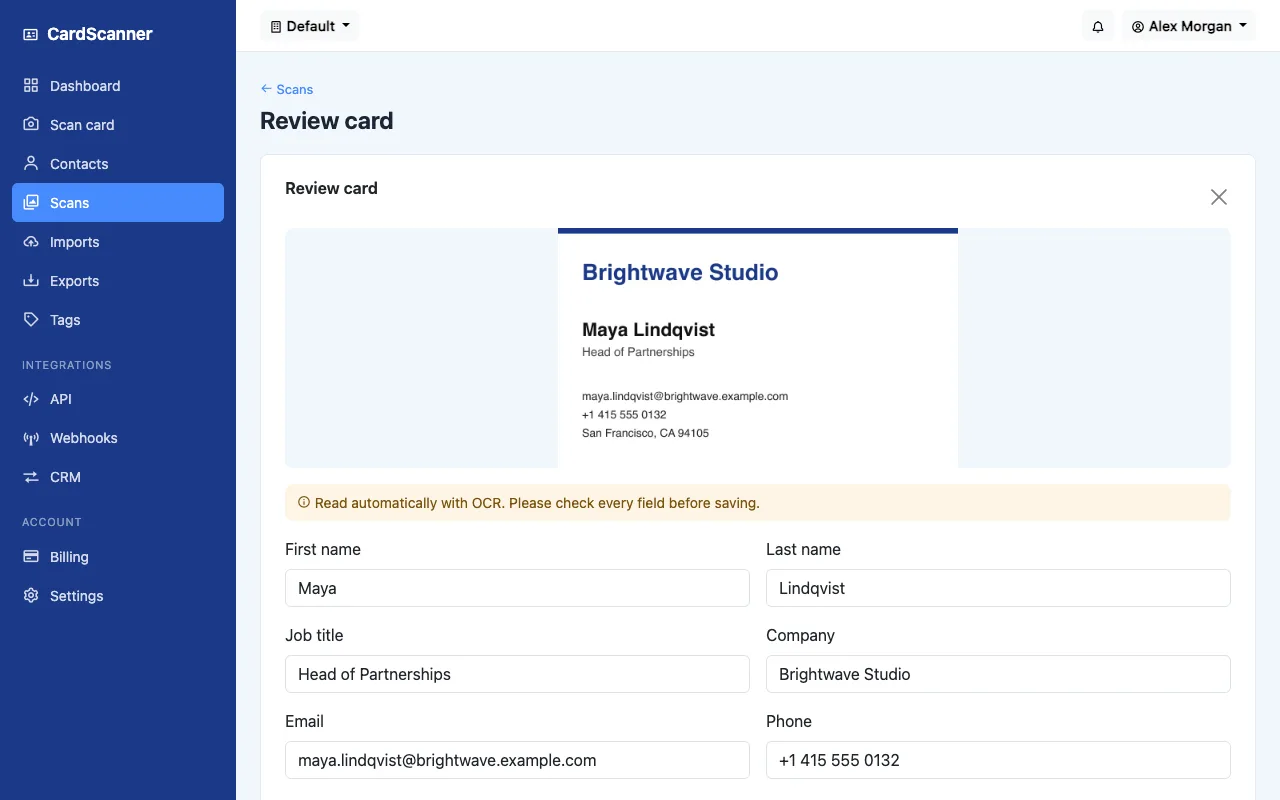
No reader gets every card right. That is why every card goes to a review screen first. Fields the reader was less sure about are marked, and you can edit anything before saving.
Optional AI reading on paid plans
Paid plans can switch on optional AI reading for harder cards. It is off by default. It is slower, and it sends the card image and its text to our AI provider, so it is your choice.
Frequently asked questions
What does OCR mean?
It stands for optical character recognition. It is technology that reads text from an image.
Can it read blurry cards?
It can try, but a blurry photo is harder to read and needs more fixing. A sharp, well lit photo works best.
Which image formats work?
JPG, PNG, WEBP and HEIC, up to 15 MB each.
How accurate is it?
It depends on the card and the photo. No tool reads every card perfectly, so you check each card before it is saved.
Which languages are supported?
Cards in English work best. Cards in other languages may need more corrections.
Related pages and guides
Ready to stop typing business cards
Create a free account and scan your first card.
Start Scanning for Free