 CardScanner
Scan Business Cards in Bulk
Add a whole stack of card photos at once, check the details, and export your contacts. No more typing every card by hand.
The Free plan includes 100 scans each month. No credit card needed to start.
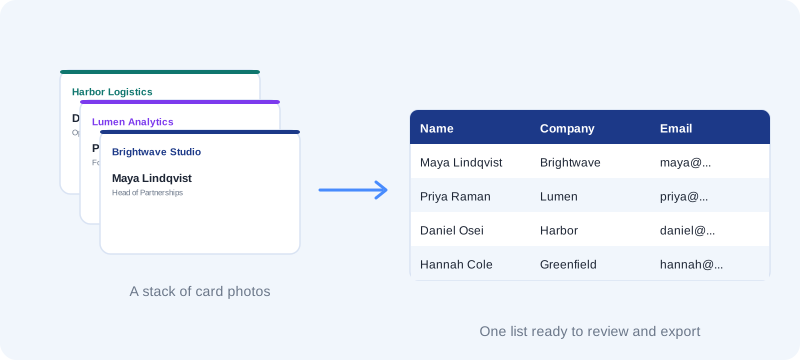
You came back from an event with a pile of business cards. Each one has a name, a job title, an email and a phone number that you want to keep.
CardScanner reads the details from photos of your cards. You check them, save the ones that look right, and export the list when you are ready.
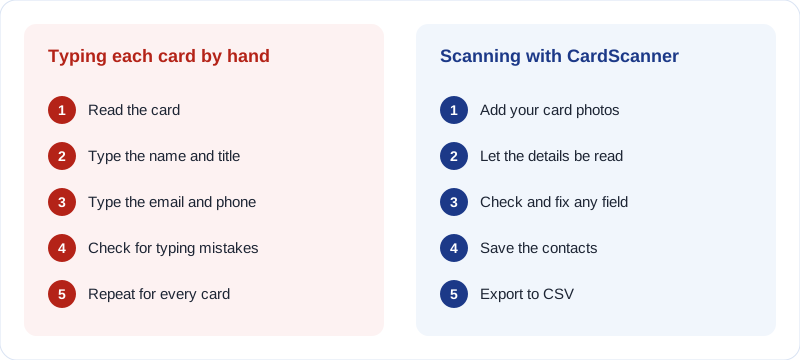
Why typing cards by hand does not scale
One card is quick to type. A stack of cards is a different job. Every name, email and phone number has to be read and typed again.
It is slow, it is boring, and small typing mistakes are easy to miss. A wrong letter in an email address can mean a follow-up that never arrives.
How bulk scanning works
Bulk scanning means adding many cards at once and working through them as a list.
- Take a clear photo of each card in good light, one card per photo.
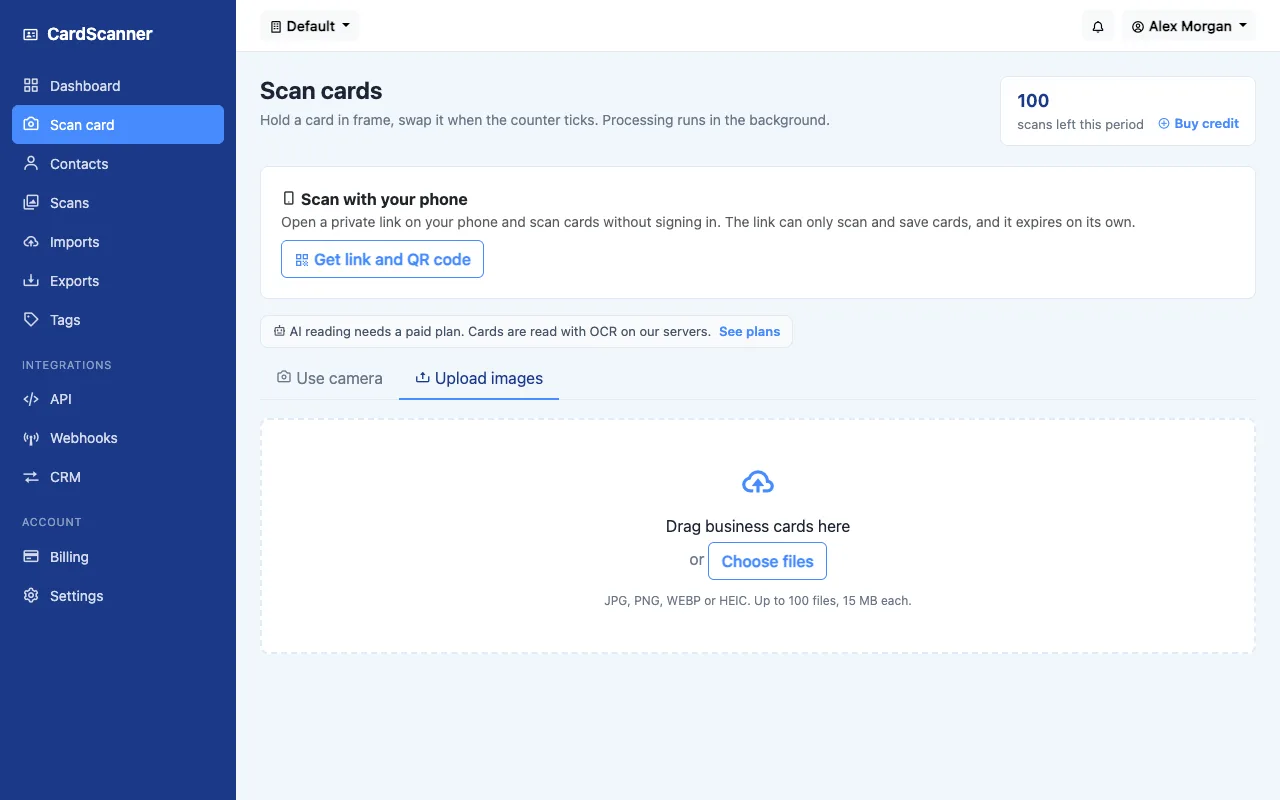
- Open Scan cards and choose Upload images.
- Add up to 100 photos at once. JPG, PNG, WEBP and HEIC files are supported, up to 15 MB each.
- The cards are read in the background, so you can keep adding more.
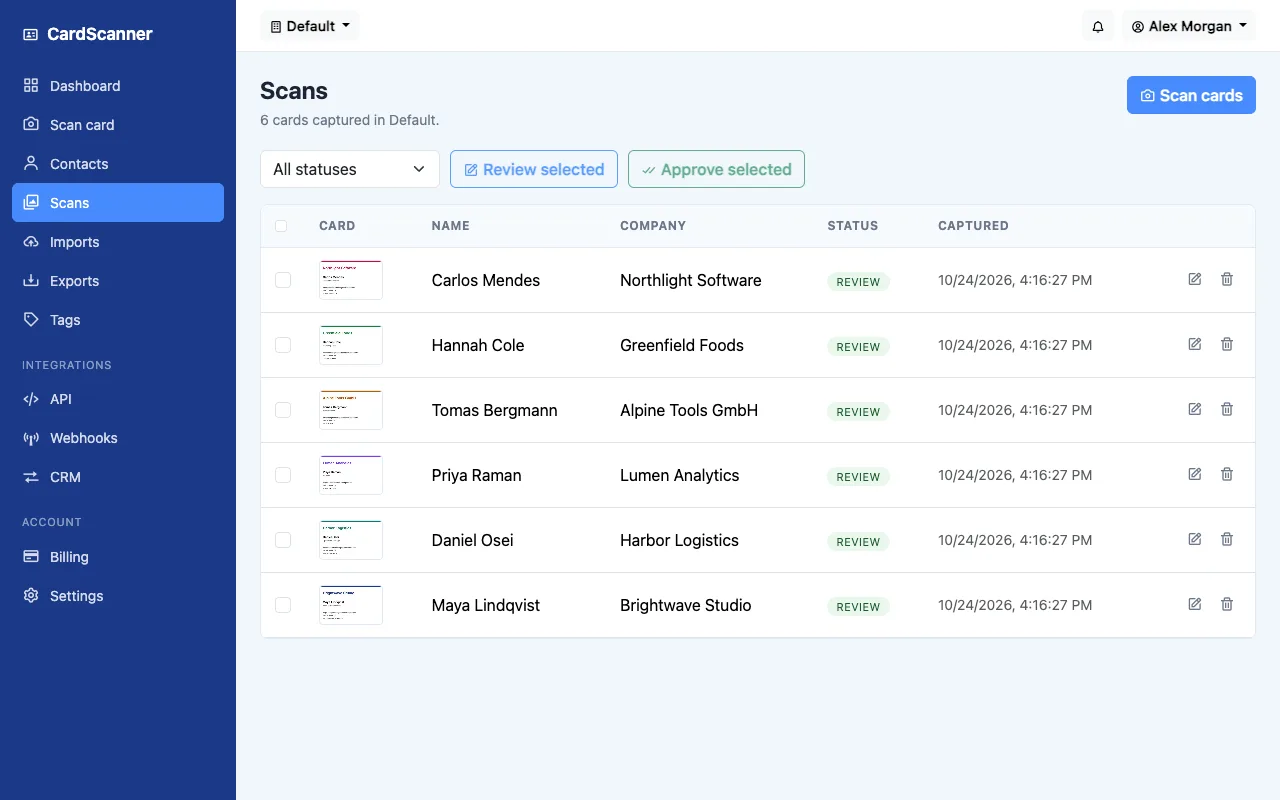
- Open the Scans list. Check each card, fix anything that is wrong, and save it.
- When several cards look right, select them and approve them together.
Review before anything is saved
Cards do not become contacts until you say so. The Scans list shows every card with its status, so you can see what is ready.
Open a card to see the photo next to the details that were read from it. Fix a name or a number, then save.
Keep your contact list tidy
New cards are checked against the contacts you already have. If someone looks familiar, you can use the existing contact, create a new one, or merge the details.
Add tags such as Conference, and write a short note about the conversation. Tags and notes are included when you export.
Export your contacts to CSV
When your list is ready, export it as a CSV file. Excel and other spreadsheet apps can open it. You can also export vCard files.
What to expect
- Photo quality matters. Blurry or dark photos need more fixing.
- Cards in English work best. Other languages may need more corrections.
- There is a limit of 100 images in one upload, and a monthly scan limit that depends on your plan. The Free plan includes 100 scans each month.
- Auto capture with the camera is part of the Professional and Business plans. Manual capture and uploads work on every plan.
Frequently asked questions
Can I scan many business cards at once?
Yes. You can add up to 100 photos in one upload. The cards are read in the background and appear in your Scans list.
Which image formats can I use?
JPG, PNG, WEBP and HEIC images are supported, up to 15 MB each.
Is there a limit on how many cards I can scan?
Yes. Each plan has a monthly scan limit. The Free plan includes 100 scans each month. Paid plans include more, and you can see them on the pricing page.
Are cards saved automatically?
No. You review each card first. When several cards look right you can select them and approve them together.
What if a card is read wrongly?
Open the card and fix the field. Details that could not be placed are kept in the notes so nothing is lost.
Can I export the contacts?
Yes. You can export a CSV file for Excel or any spreadsheet app, or a vCard file.
Related pages and guides
Ready to stop typing business cards
Create a free account and scan your first card.
Start Scanning for Free